
How to unlock a phone pattern without loosing data 100%
How to unlock a phone pattern without loosing data 100%
Have you forgotten you phone pattern/password and want to unlock it without loosing data? So,I will tell you how to do it 100%
It is really a very big problem if someone has lost his phone pattern/password and have no source to unlock it back.But don’t worry because today,I have got the best and 100% working method to unlock your phone without loosing any data.So, follow the complete guide carefully and I will teach you How to unlock a phone pattern without loosing data 100% by using your pc.
So,without talking much on this,Let’s start and just follow and perform each step carefully.
Note: Whatever software is needed,I have given the links to download them right at the end of the procedure.
-
First of all you will have to download adb software in your pc and install it by typing ‘Y’ wherever it is required like this
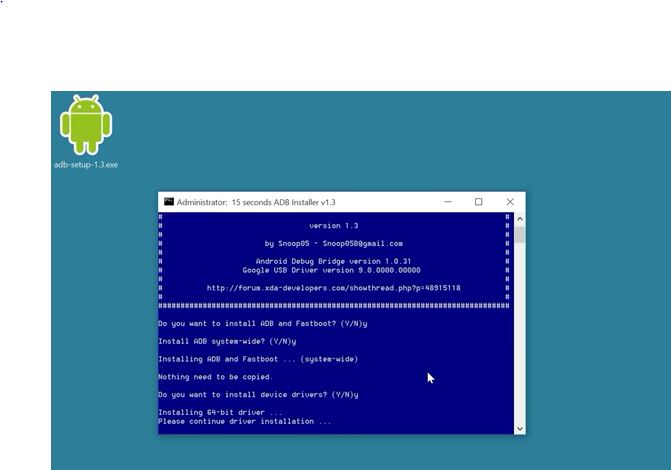
How to unlock a phone pattern without loosing data 100% -
Now, just go to the installed folder where adb has installed itself-you can go directly by searching in the windows- adb and select on adb folder and you will reach here
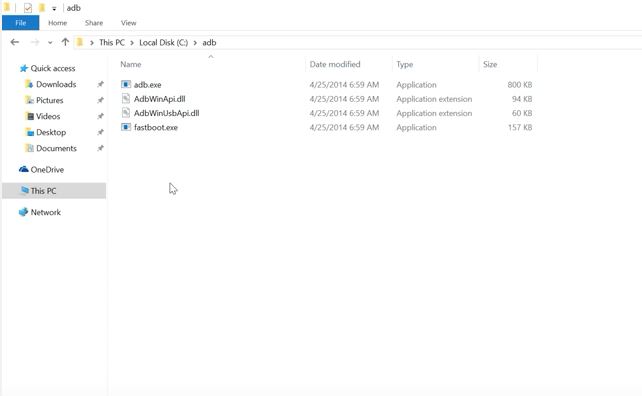
How to unlock a phone pattern without loosing data 100% -
Now press shift and right click mouse in an empty space
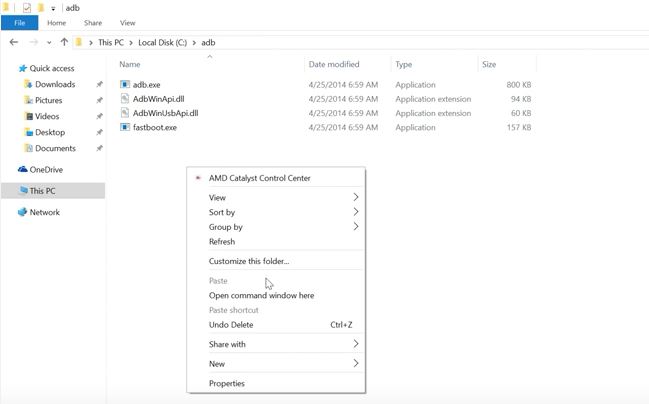
How to unlock a phone pattern without loosing data 100% And click on open command window here
-
Now connect your phone with pc by using data cable and type ‘adb devices’ in the command window and hit enter
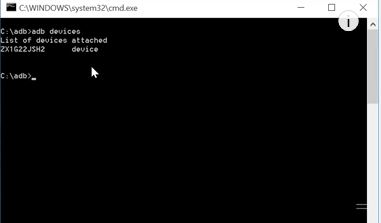
How to unlock a phone pattern without loosing data 100% -
Now disclose the command window and run cmd command by press windows key + R and type in ‘cmd’ and click OK and type in command window ‘adb’ and hit enter and it will get you a screen like this
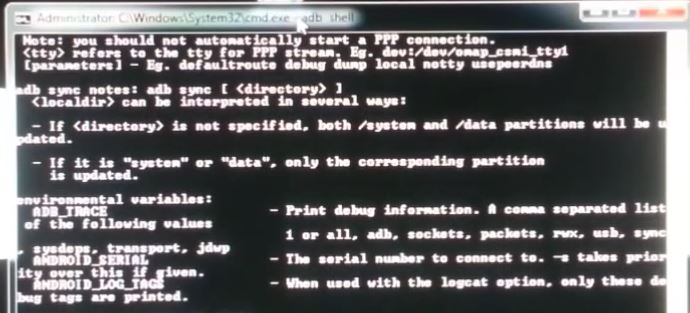
How to unlock a phone pattern without loosing data 100% -
Now type ‘adb shell’ and press enter and again type this ‘ rm /data/system/gesture.key ’
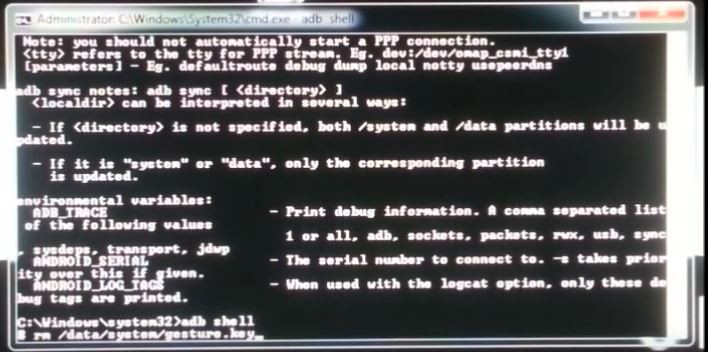
How to unlock a phone pattern without loosing data 100% And hit enter
-
And after hitting enter you will get this screen
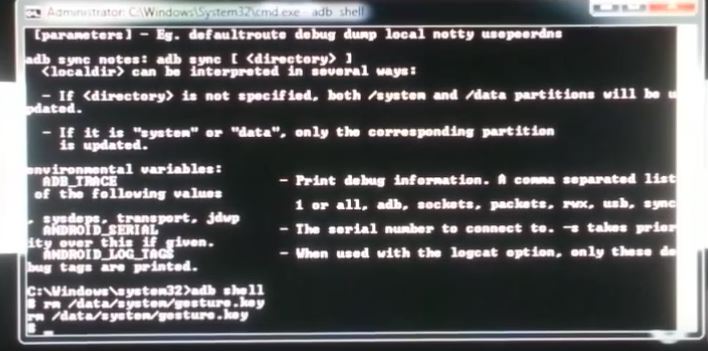
How to unlock a phone pattern without loosing data 100% -
And now get your phone and click on the pattern howsoever you like and it will unlock your phone 100%

How to unlock a phone pattern without loosing data 100 It will unlock your phone
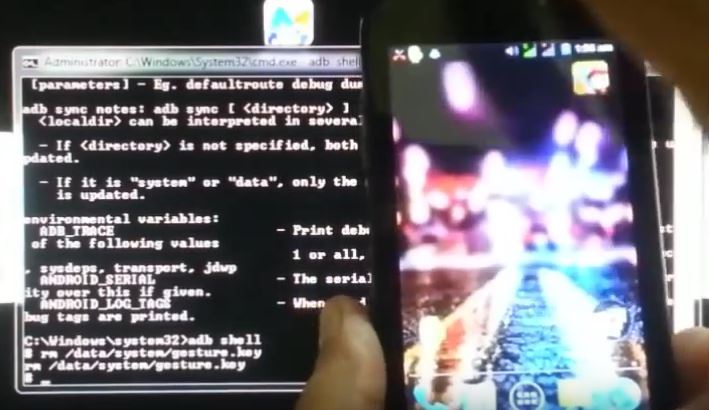
How to unlock a phone pattern without loosing data 100% And now you can again set a new pattern to your phone.
Note:
1.If your phone is locked with a password instead of a gesture then in step 6,type this code instead of that ‘rm /data/system/password.key’
2.If you aren’t getting the screen of step 5, check that All of your PC drivers are updated and still if it can’t open that screen after typing in ‘adb’,
then install Moborobo from below and install you phone drivers in pc by using Moborobo, it will solve out the problem.
Download the adb software from here:
Latest ADB: Click here
Moborobo: Click here
If you are still facing any problem regarding this, write below in comments section and i will try to help you with it!
keep it up bro.
Thanks Irfan bro! Alhamdulillah!
I must say you have high quality articles here.
Your page can go viral. You need initial boost only.
How to get it? Search for; Miftolo’s tools go viral
I simply want to say I’m newbie to weblog and really savored you’re page. Probably I’m going to bookmark your site . You certainly come with amazing articles. Thank you for sharing your blog site.
Really entertaining highlights you have remarked, say thanks a lot for posting.
You are a very clever individual!
Good morning there, just got receptive to your web page through yahoo, and realized that it is truly informative. I will be grateful in the event you keep up such.
Very good website – bookmarked
I truly appreciate this post. I have been looking all over for this! Thank goodness I found it on Bing. You’ve made my day! Thanks again!
Noticeably beneficial points that you have stated, thanks a lot for writing.