
Use fake number whatsapp without sim card
Whatsapp without sim
You don’t have a sim card or don’t want to use your own number for whatsapp or a fake number? Then,today,I will tell you how to do this!
Many people don’t want to show their own identity to others like their own whatsapp number and want a fake whatsapp number and the more benefit is if they want to use a fake whatsapp number and that too without a sim card, then yes you are at the right place where I am going to tell you how to use fake number whatsapp without sim card and that too very easily.
So, let’s start and follow these easy steps!
- First of all,you will have to download a software named voxox in your Android phone and the link to download that is give at the end of the procedure.
- After you have downloaded the software,Install it and open it and you will reach here
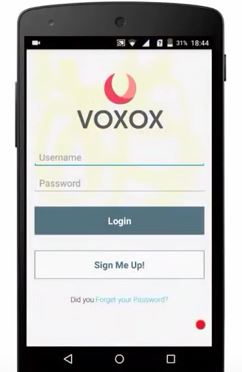
Use fake number whatsapp without sim card And then click on sign up.
- Now,use your own phone number which you have access to because it is required for the registration purpose.In addition to that,enter your email,a new username and password here
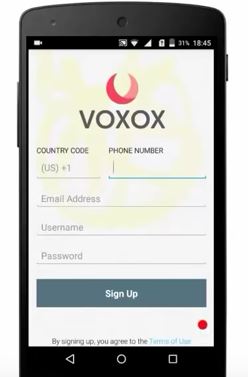
Use fake number whatsapp without sim card And then click on Sign up.
- Now, enter the activation code which is sent to your registered mobile number
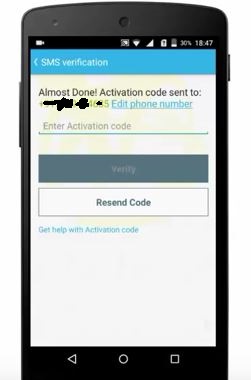
Use fake number whatsapp without sim card And click on Verify.
- After that it will register you in and then go to the More option present at top right corner
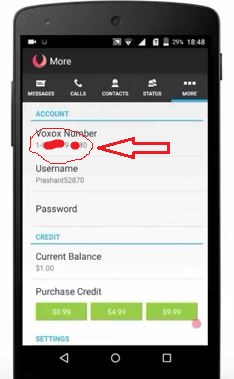
Use fake number whatsapp without sim card Now copy this voxox number which is going to be your fake number for whatsapp.
- Now,uninstall whatsapp if you have installed it already and reinstall it again.
- Now,at verify phone number page, Type in your complete and accurate voxox number you just copied above
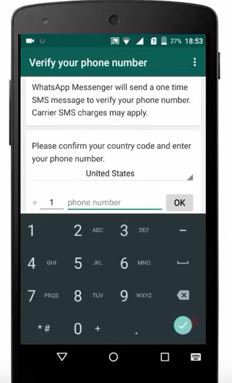
Use fake number whatsapp without sim card Remember to use the same country code which is present in voxox number and click on OK
- It will detect that number automatically and will register you in with that fake voxox number.
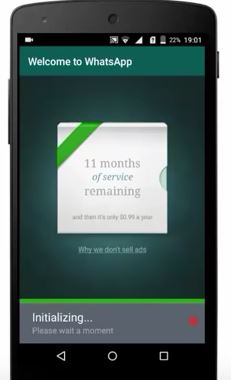
Use fake number whatsapp without sim card
Congrats! Now you can use this fake whatsapp number to send messages to anyone and you can use this whatsapp number even without a sim card!
Download the voxox app from here:
Voxox: Click here
If you are facing any problem in it, write below in the comment section and I will help you with it!
Thanks for sharing awesome post
thanks for sharing out this beautiful Idea of urs
You welcome! Keep visiting for more great stuff. 🙂
Thanks Buddy the post is working…
You welcome. . Stay tune for new updates.
the app is not in play store or does it have another name
You can also download the app by googling it.
When i registered with my phone number and its says check your internet connection,even my internet was strong
I don’t know why please help me on this
Hello Rifan, try installing the latest version of the app or any other version than this.
there is internet connection and they are saying please cheack your internet cinnection why