
How to use a phone as a spy camera
Use your phone as a spy camera
Do you want a spy camera and don’t want to install those costly cameras available in market? So,you are at the right place.Now use your phone as a spy camera by this guide.
Now it’s been so easy to do a lot of tasks by using your android pone rather than purchasing special stuff and equipment from market to do that particular task.So, today I am back again with a new and cool trick of just using your smartphone for the spying purpose and now you can easily convert your android smartphone into a spy camera.Just follow this simple guide and make your friends and family members surprise by using this trick.
So,let’s begin with these easy steps:
- First of all you need to download an application in your android in order to link your pc to the smartphone and use its camera for spying purpose.The link to that application is given at the end of the procedure.
- Before going further,make sure that both the android device and your pc share the same network,either LAN or WLAN or simple a same wifi network.
- Now open the downloaded app,install it and then open it and scroll down to the last options
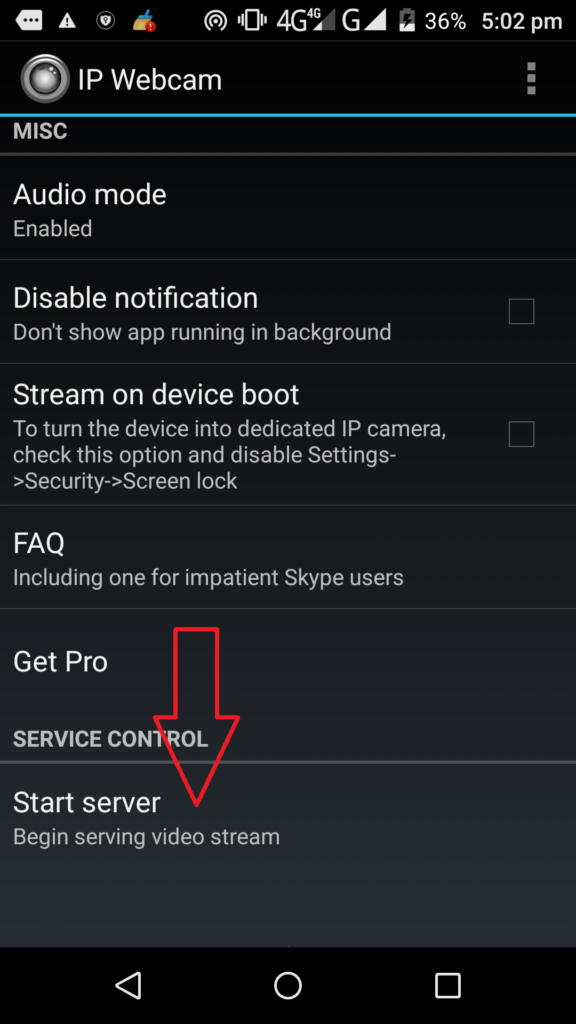
Use your phone as a spy camera Now click on Start server option.
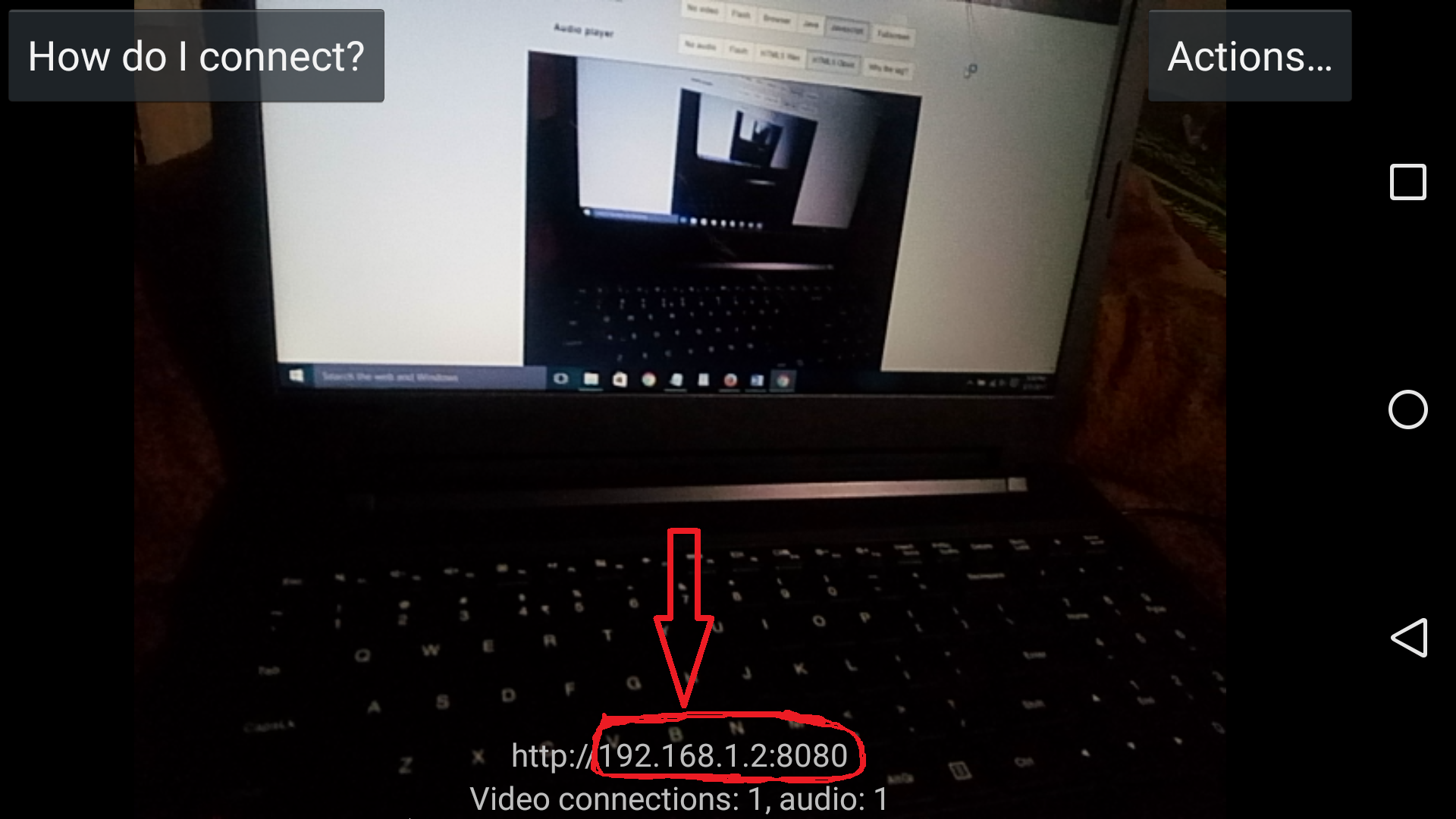
- It will open your camera and will get you to this screen
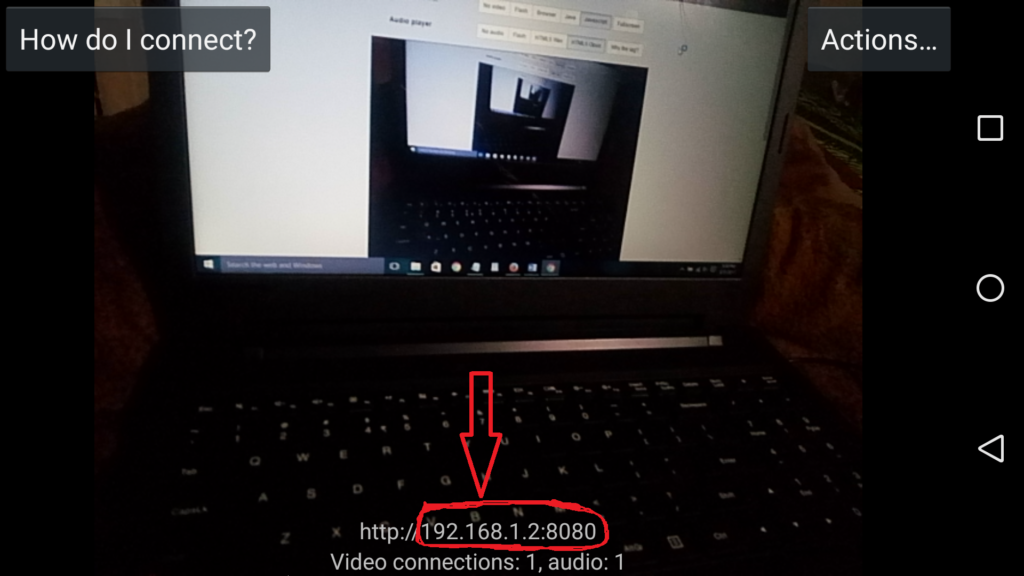
Use your phone as a spy camera Now copy that ip address.
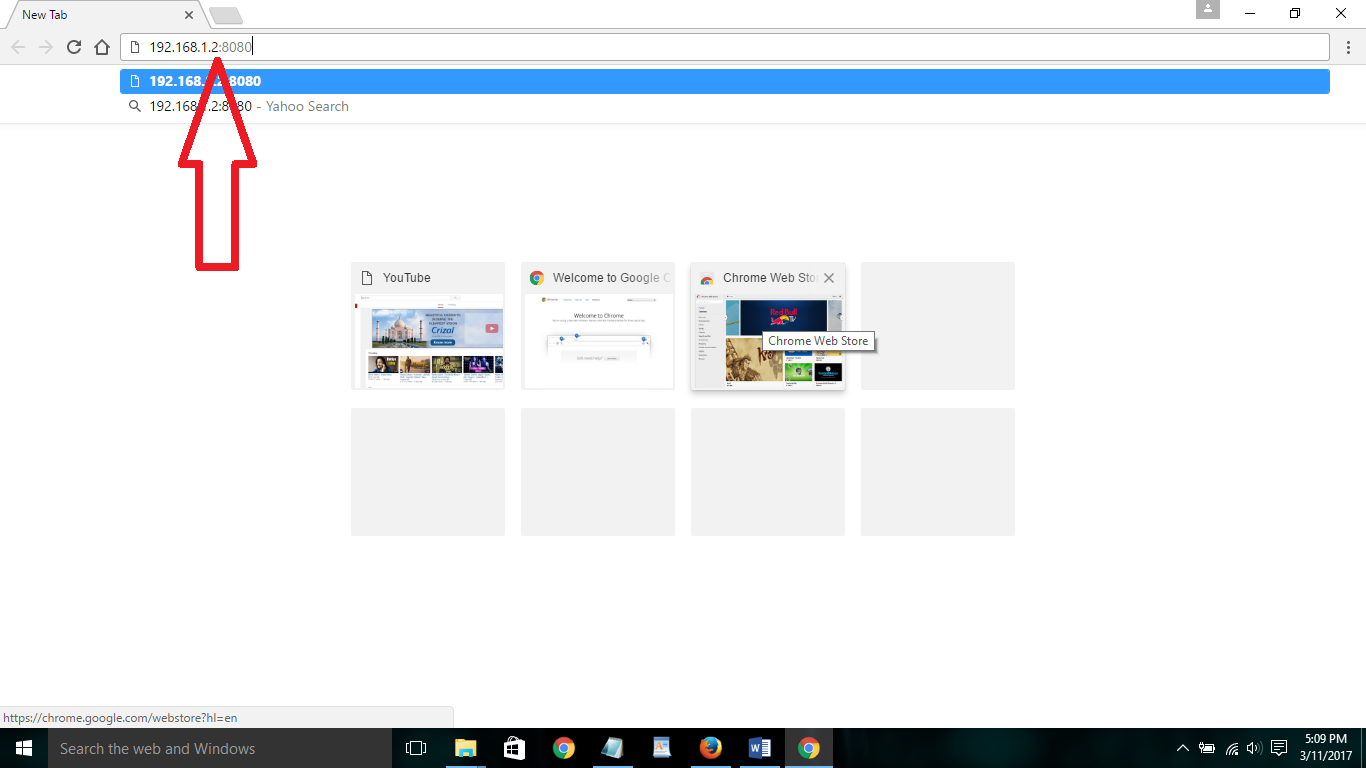
- Now open a browser in your pc like Firefox or Chrome and type the ip address you just copied
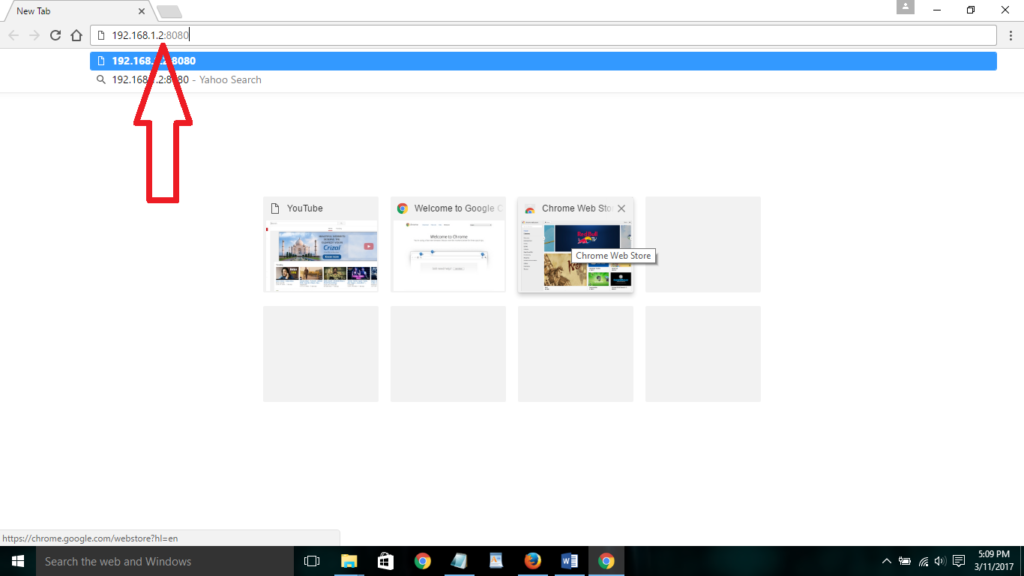
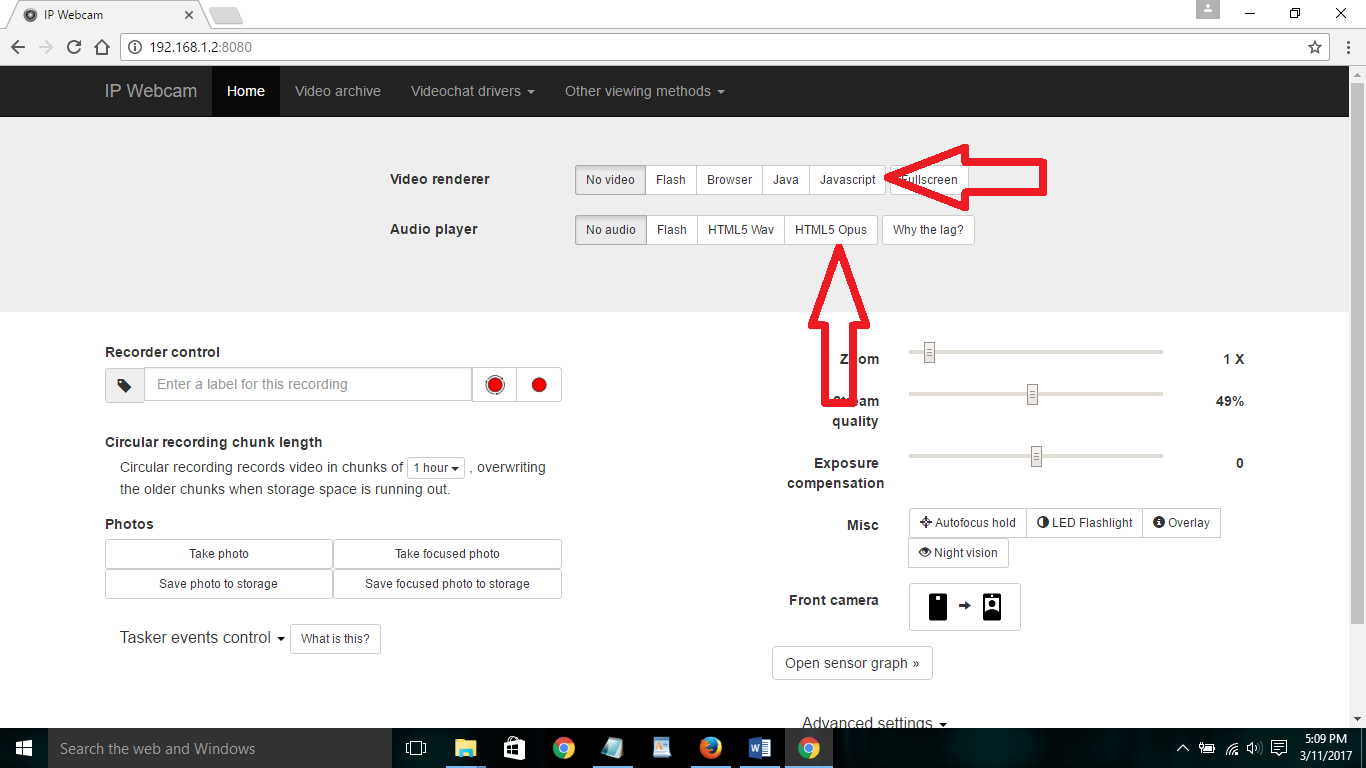
Use your phone as a spy camera - Now,click on Javascript option and html5 opus option

Use your phone as a spy camera - Now, you can easily spy anything by using your Android camera.

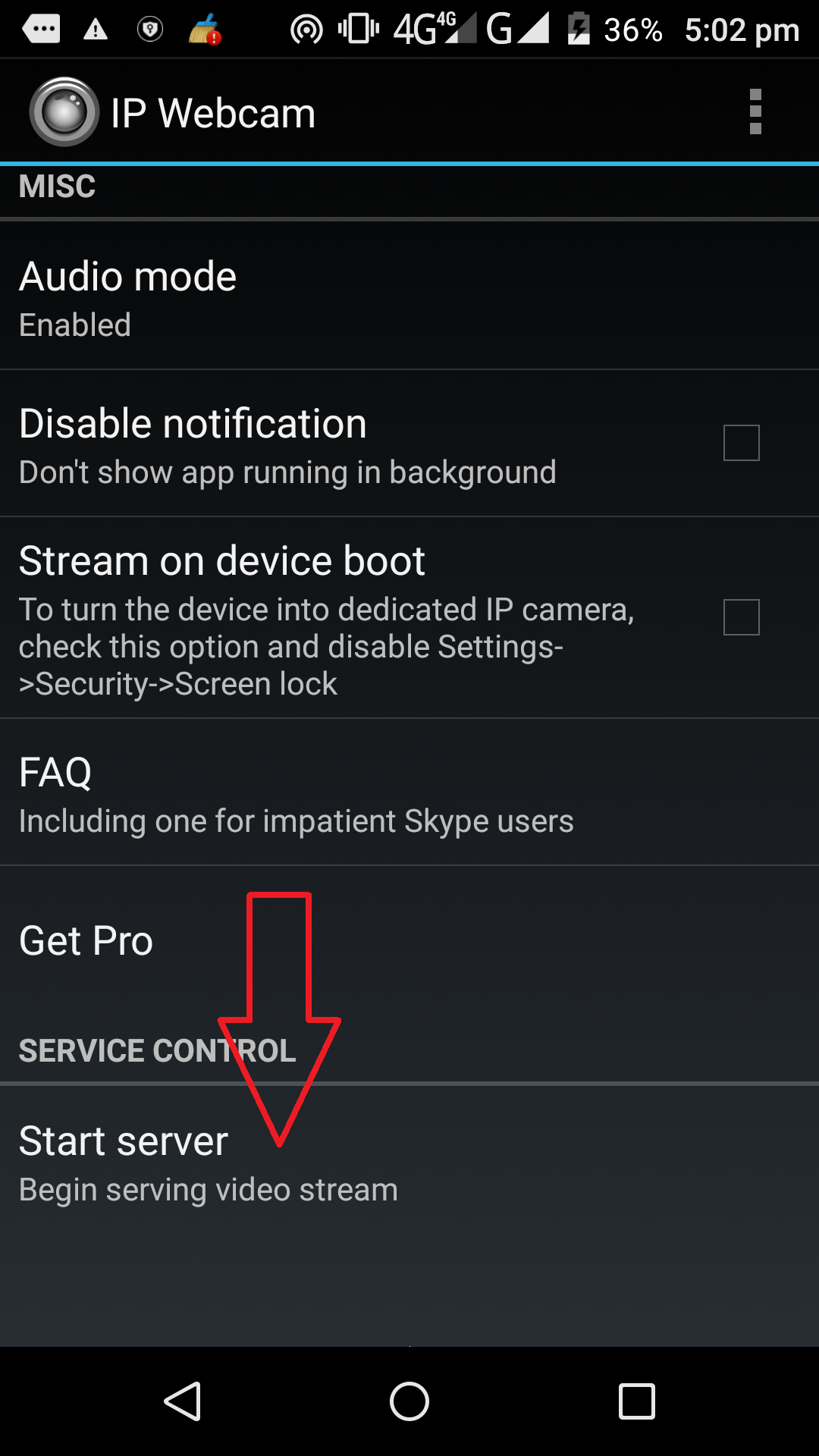
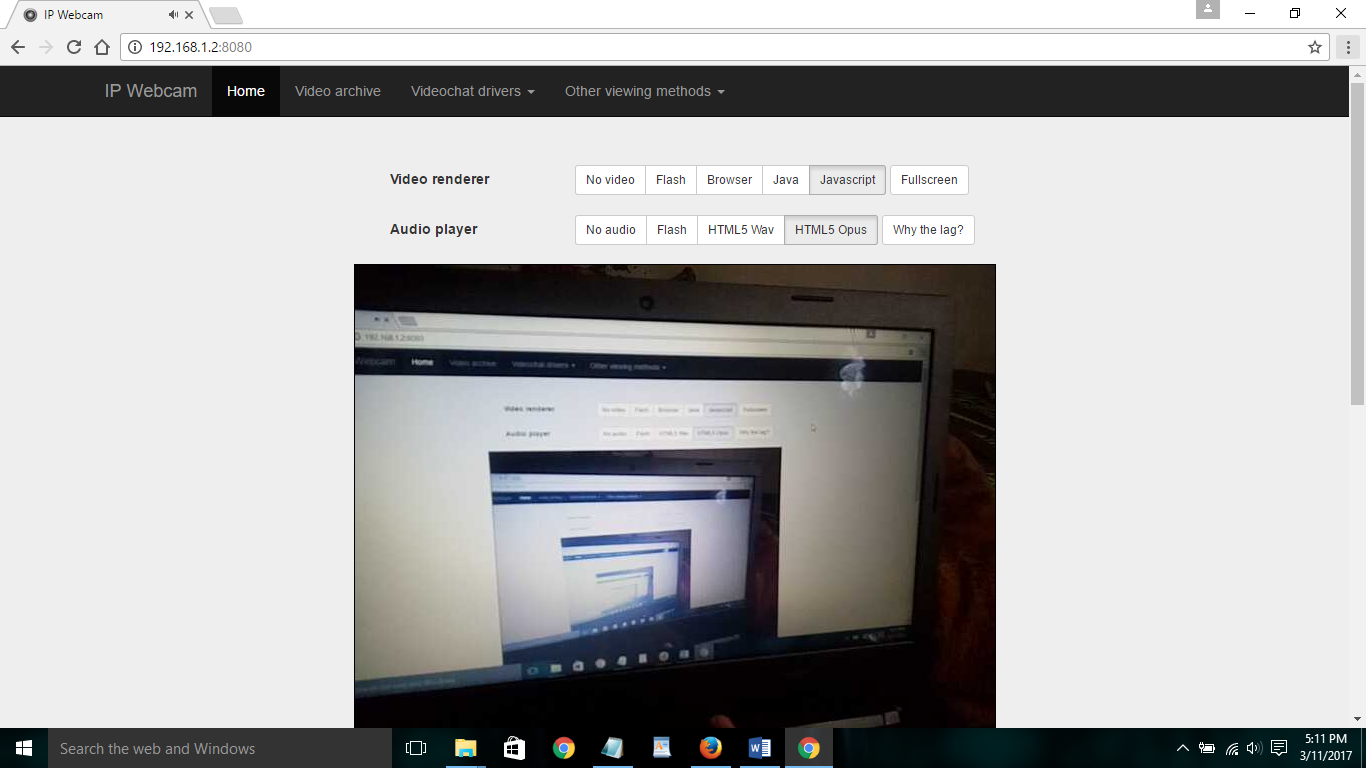
So,place it anywhere you want to spy and you can easily see the happenings!
There are some other features which you can turn ON like Flashlight,Night mode,Front Camera,Record video,Capture Photo – from you pc web browser! Now enjoy this spy cam!
Download the android application from here:
Ip webcam: Click Here