
Custom Product Comparison Table Generator With Dropdowns
Create your custom Amazing looking table here.
| Compare | with | |
|---|---|---|
Table Code is Generated Below
You can copy your Custom Table code from the box below after generating.
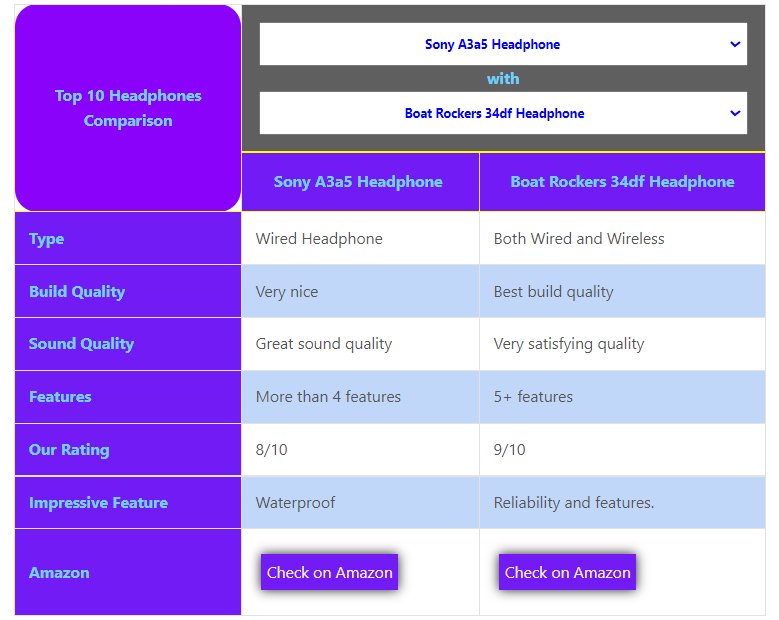
Here is how your table will look like
At a time it will compare only 2 products which you can select from the dropdown. You can add up to 20 products.
Steps to use this table functionality
Follow the steps below once to make this table functional for your website.
Step 1: (Only Once Per Website)
Copy the css from below and paste it at WordPress Dashboard>Appearance> Customize> Additional CSS (At the end if there is already css there).
If you have already done the step once, you don’t need to do it ever again on the same website.
Step 2:
- Copy a table created in google docs/MS-Word to your Guttenberg Editor.
- Make sure that you are using header in your table. (You can select that from the Block Elements at the right side)
- For the last row of the table, hyperlink your texts (if you want buttons for the last row).
- Make sure that your table has the same format as> First Row as header row and first column as the Parameters/Specs that you are comparing and Links to only last row if you want buttons.
So, make sure that you table has this format as shown in the Image below.

Step 3:
Now once you have your normal table visible in the Guttenberg editor, click anywhere on the table and then click on the 3 dots present on the top right of the table and click on> Edit html and copy the whole html code of your table.
Step 4:
- Copy the code in the First text box above and click on Build Code button.
- Your code will be generated in the second textbox and then click on the Copy Code button.
- Now replace your old table code in your Page/Post with the new code and save.
Congrats…! Your new custom table is ready.