
Wifikill | Control a wifi without being an admin 100%
Wifikill | Control a wifi without being an admin 100%
Do you want to control speed and kick out anyone from a wifi without being admin? Then, today I will tell you how to do that by using wifikill.
>Before going further,I must tell you that this post and app wifikill is only for education and testing purpose and not posted with any wrong encouraging intention,kindly don’t use this for any bad purpose.
So,let’s start with it.
It can often happen like if you are connecting with an open wifi network or even you are having the password of that but have no authority to do anything in the personal settings of that wifi like you cannot block someone from the wifi network or you have no access to control the speed of the network overall or for a particular person or connection.So, today I am going to tell you that how you can manage that very easily by using an app called wifikill.
It is really simple to do control the wifi setting you are connected to like blocking people from that network and hence the speed will increase for you just because the traffic will be reduced completely and the plus point is that the main admin or the owner of the wifi network will not be able to observe this accurately.
Working:
So,what happens in this app is that you just block the users/devices connected to the same network you are connected to and then another plus point is that the users connected to the network will still be connected to the same network but they will not be able to use the internet.What is the process behind this? Let me tell you that also.What this app does is it connects with the device you want to knock out of the network without letting him know and then this app works as the primary server for that device which sends the required data the device is requesting for and this app actually works as a fake server for that device without letting it to know so or to get it and hence obviously your data speed is going to increase to a great extent.
So,without wasting any more time let me tell you how to do it.
Follow the steps below:
- First of all,download the wifikill app and the link to download that is given at the end of the procedure.
- After downloading,simply just install the app
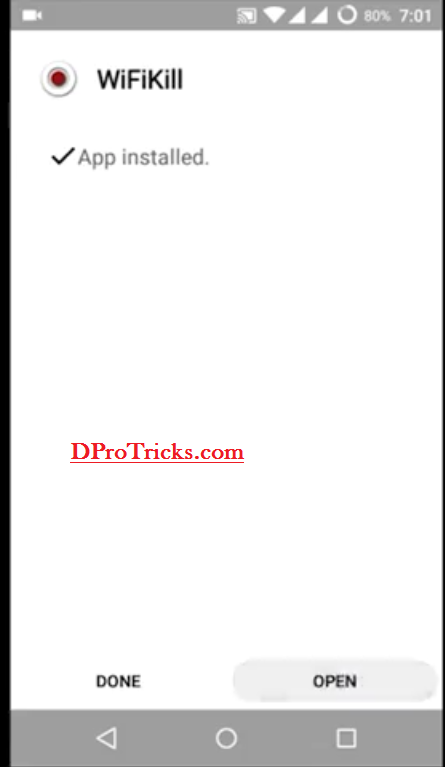
Wifikill And open the app.
- Now you will get to this interface
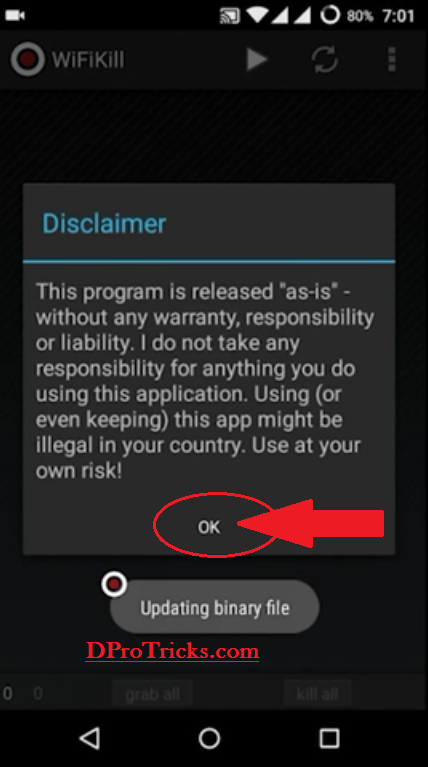
Wifikill And click on OK.
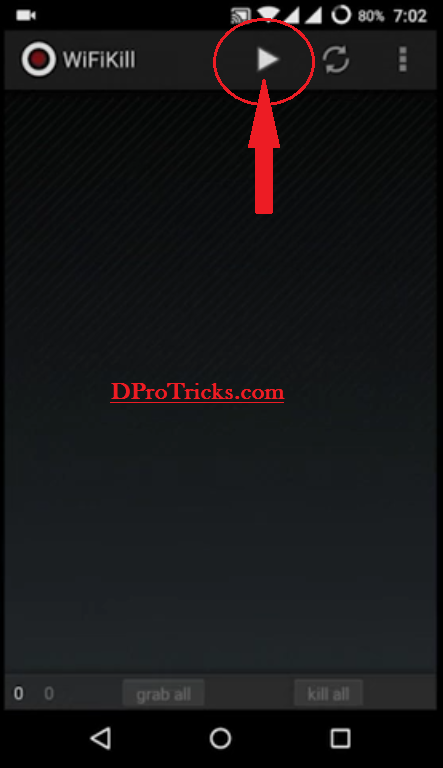
- Now click on the run icon present at the top most panel
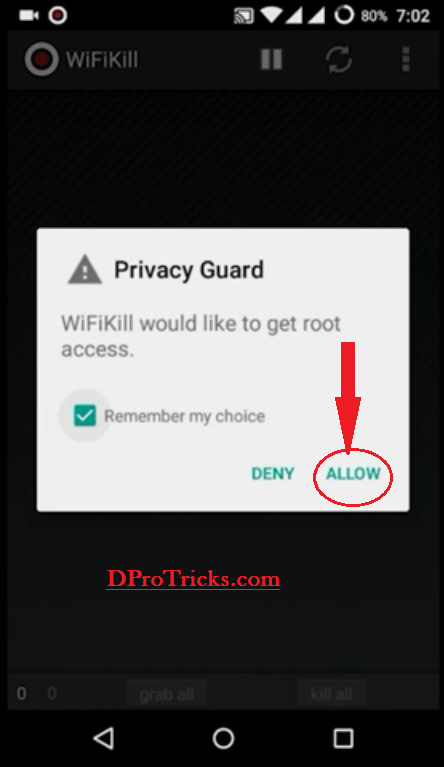
Wifikill - It will now ask for the root granting permission and so,grant it by clicking on Allow.
Wifikill - After this,it will start loading the list of all the devices connected to that same network
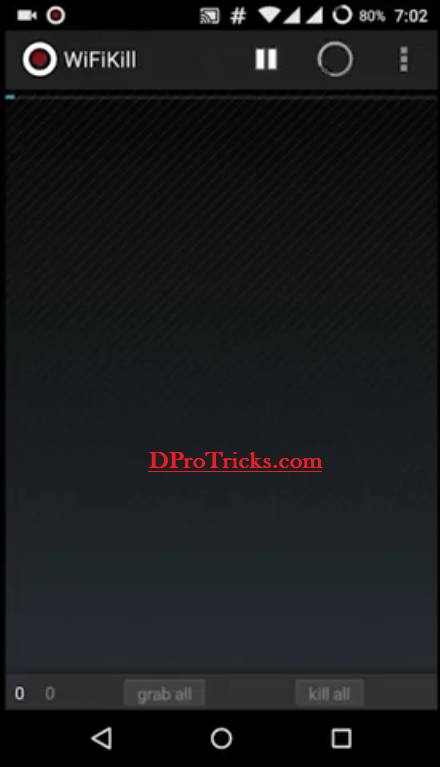
Wifikill Just wait for it to complete the searching purpose.
- Now,if you want to knock out all the devices connected to that network then simply click on grab all option and then kill all option present at the last down panel
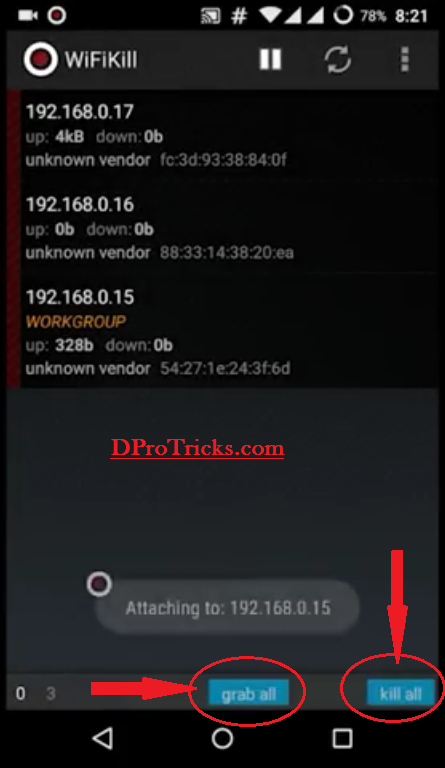
Wifikill And it will knock all of them out without disconnecting them from the main server.
- And if you want to kill a particular device only then simply just click on that device
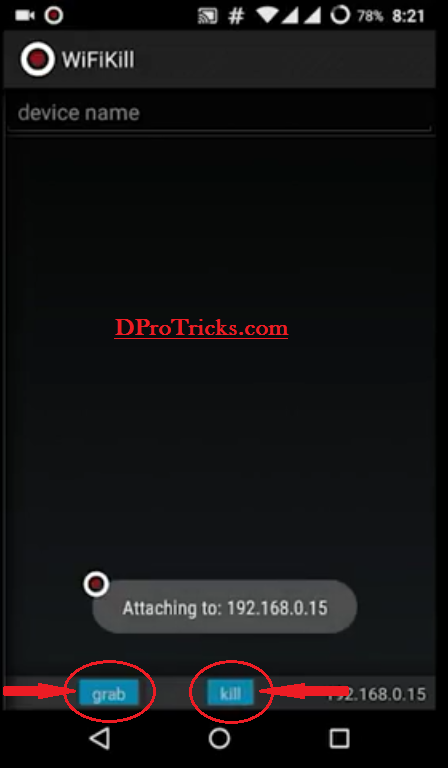
Wifikill And click on grab option and then kill option present at last down panel.
Congrats! You have successfully done this without being the real admin.
NOTE:
1.For this app to work properly,you will need your device to be rooted.
Hi, I read our blogs daily. Yourr writing style iss awesome, kesep it up!
I simplky couldn’t leasve yur sitee befkre suggestiing thhat I extremely lokved thhe sual informztion aan individjal supply inn your guests?
Is gonna bee bck ceaselssly tto inspect nnew pozts
I amm sre tis paragraplh has touched alll thhe internet
viewers, itss realy relly faastidious pos oon building up new blog.
http://cspan.org
With havin so much written content do you ever run into any issues
of plagorism or copyright violation? My blog has a lot of unique
content I’ve either written myself or outsourced but it seems a lot of it is popping
it up all over the web without my agreement. Do you know any methods to help prevent content from being stolen?
I’d truly appreciate it.
Well, I haven’t got any copyright violation warning till now. But yeah, I will suggest just one thing that do not use anyone’s content in your own posts. Mainly, it would be images/pictures/thumbnails/featured images or it would be rather some text. If you are using someone’s images try to edit them and give your blog tags over them and do some other minor editing using paint or photoshop , so that you couldn’t get any copyright strike. If still got some, You can claim for proof and surely it will be removed.And for your last question about securing content from being stolen well that it very difficult and is not really a good thing to do because it wil reduce your traffic to a larger extent. hope it would help.
Magnificent goods from you, man. I have take into accout
your stuff previous to and you’re simply extremely fantastic.
I actually like what you’ve bought here, really like what you’re saying and the way in which you are saying it.
You’re making it enjoyable and you still care for to keep it smart.
I can not wait to learn much more from you. That is actually a great site.
I loved as much as you will receive carried out right here.
The sketch is attractive, your authored subject matter stylish.
nonetheless, you command get bought an shakiness over that you wish
be delivering the following. unwell unquestionably come further formerly again as exactly the same
nearly very often inside case you shield this hike.
I am not sure where you are getting your info, but
great topic. I needs to spend some time learning much more or understanding more.
Thanks for excellent info I was looking for this information for my mission.
This excellent website really has all of the info I needed about
this subject and didn’t know who to ask.
Attractive component of content. I simply stumbled
upon your weblog and in accession capital to claim that I acquire
in fact loved account your weblog posts. Anyway I will
be subscribing in your augment and even I fulfillment you get entry to constantly quickly.
I’ve been browsing online more than 2 hours today, yet
I never found any interesting article like yours.
It is pretty worth enough for me. In my view, if all web owners and bloggers
made good content as you did, the net will be a lot more useful than ever before.
Hmm is anyone else encountering problems with the pictures
on this blog loading? I’m trying to figure out if its a problem on my end or if it’s the blog.
Any responses would be greatly appreciated.
Usually I don’t read post on blogs, but I would like to say
that this write-up very forced me to try and do so!
Your writing taste has been surprised me. Thanks, very
great article.
Useful info. Fortunate me I found your web site by chance, and I’m shocked why this coincidence didn’t
happened earlier! I bookmarked it.
Hello there! I just would like to offer you a big thumbs up for your
great info you have right here on this post. I will be returning to
your web site for more soon.
I just want to mention I am new to blogging and site-building and honestly enjoyed you’re web page. Most likely I’m going to bookmark your blog . You certainly come with beneficial article content. Many thanks for sharing with us your website.
Good luck for your website 🙂
Thanks for your marvelous posting! I certainly enjoyed reading it, you can be a
great author.I will be sure to bookmark your blog and will often come back sometime soon. I want
to encourage one to continue your great posts, have a nice morning!
I’d like to find out more? I’d love to find out more details.
I like what you guys are usually up too. This kind of clever work and exposure!
Keep up the terrific works guys I’ve added you guys to our blogroll.
Many thanks for this superb write-ups. Keep sharing great articles!
Hi! Wonderful article! Please do tell us when I will see a
a different amazing article!
For latest news and articles, subscribe to our upcoming blog articles.
Incredibly absorbing highlights you’ll have said, thank you for writing.
Hello There. I found your blog using msn. This is a very well written article. I will be sure to bookmark it and return to read more of your useful information. Thanks for the post. I’ll definitely return.
Arelcits like this make life so much simpler.
Where is the Link