
Control your pc from android phone
Control a pc from android phone
Want to control your pc from your android phone? So, why to wait? Just follow this small guide to do it easily and 100%
Yeah,it’s a very nice trick to become over smart among your friends and others just because often,people don’t know how to do control your pc from android phone neither maximum among them would ever thought of this whether it could even be possible by just using a smartphone! But now,you gonna learn this small and easy trick here and going to be a technical pro!
Although it’s very easy but also very very interesting to present or perform in front of anyone,So, without wasting our time Let’s start.
First of all,you need to download two softwares,one in android,and one in your pc which will help to link them both,I have given the link to download both softwares right at the end of the procedure,but before downloading them go through the guide below.
STEPS:
- After you have downloaded both of the files,install android apk file in your android phone and the other exe file in your pc.
- Now before linking, either share a common wifi for both pc and android phone or either share hotspot from android phone and connect your pc with it.
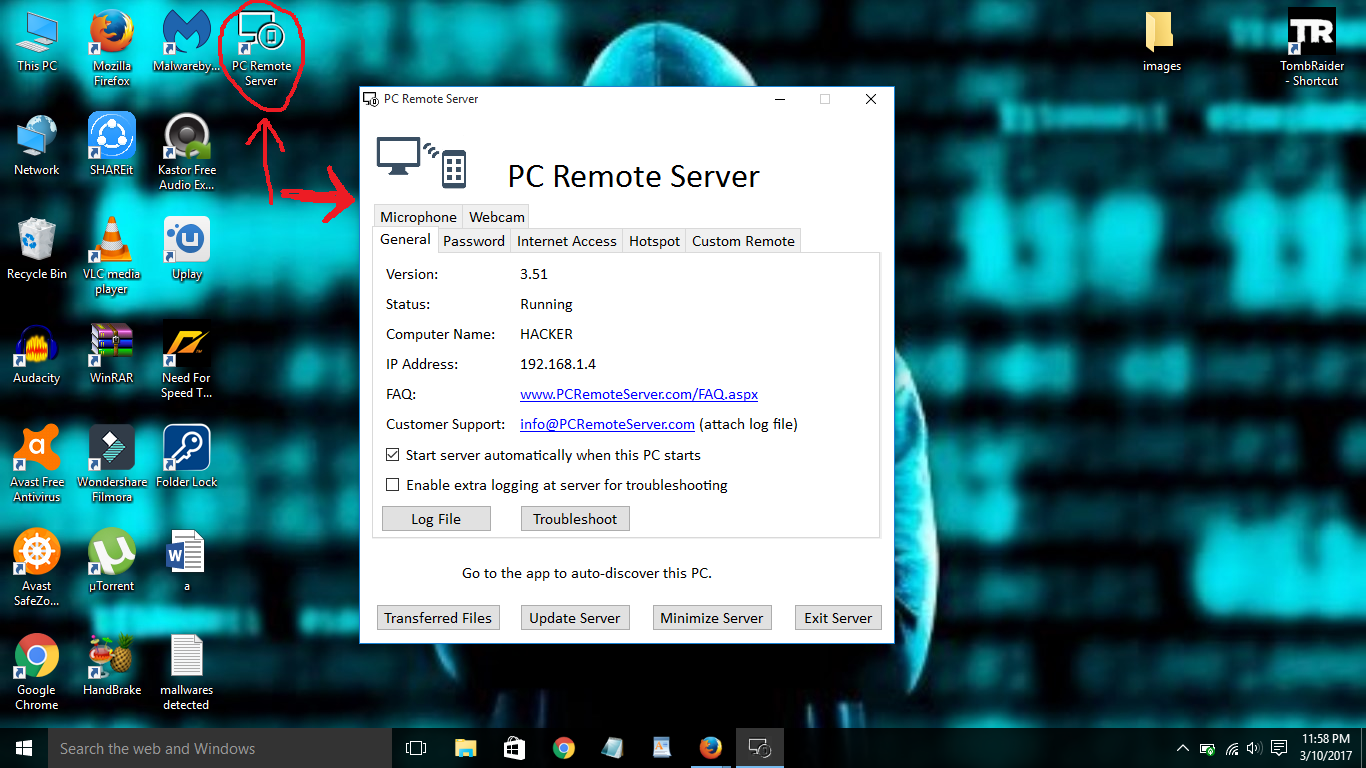
- Now open the pc file after you install it completely and it will look like this
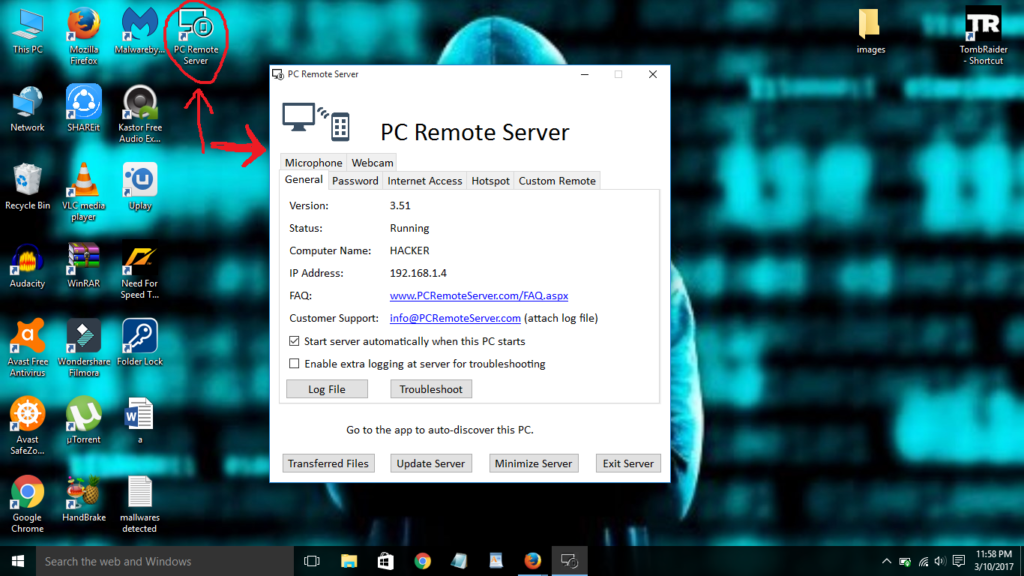
Control your pc from android phone And minimize it.
- Now get your android phone and open the installed software ( Pc Remote)
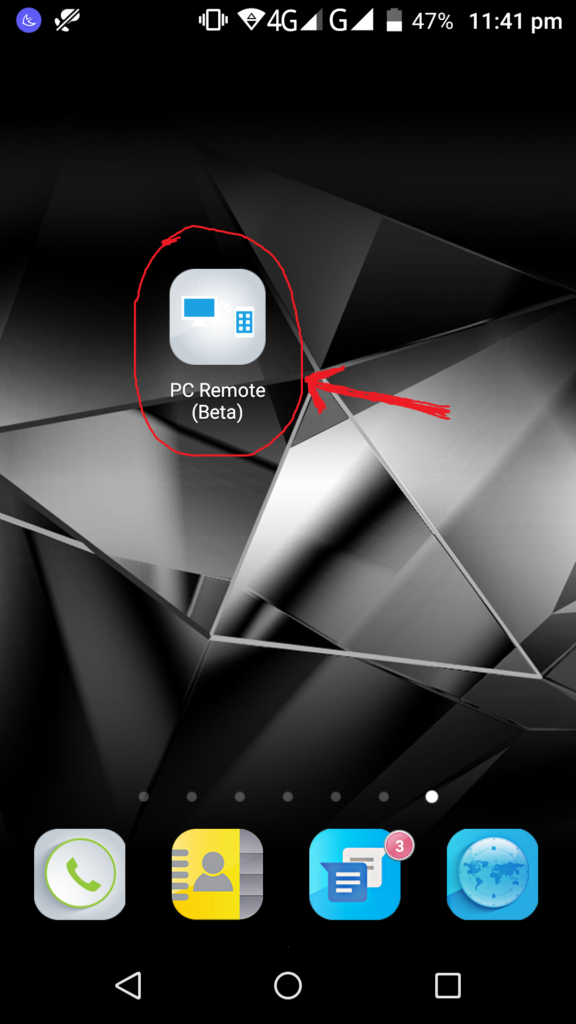
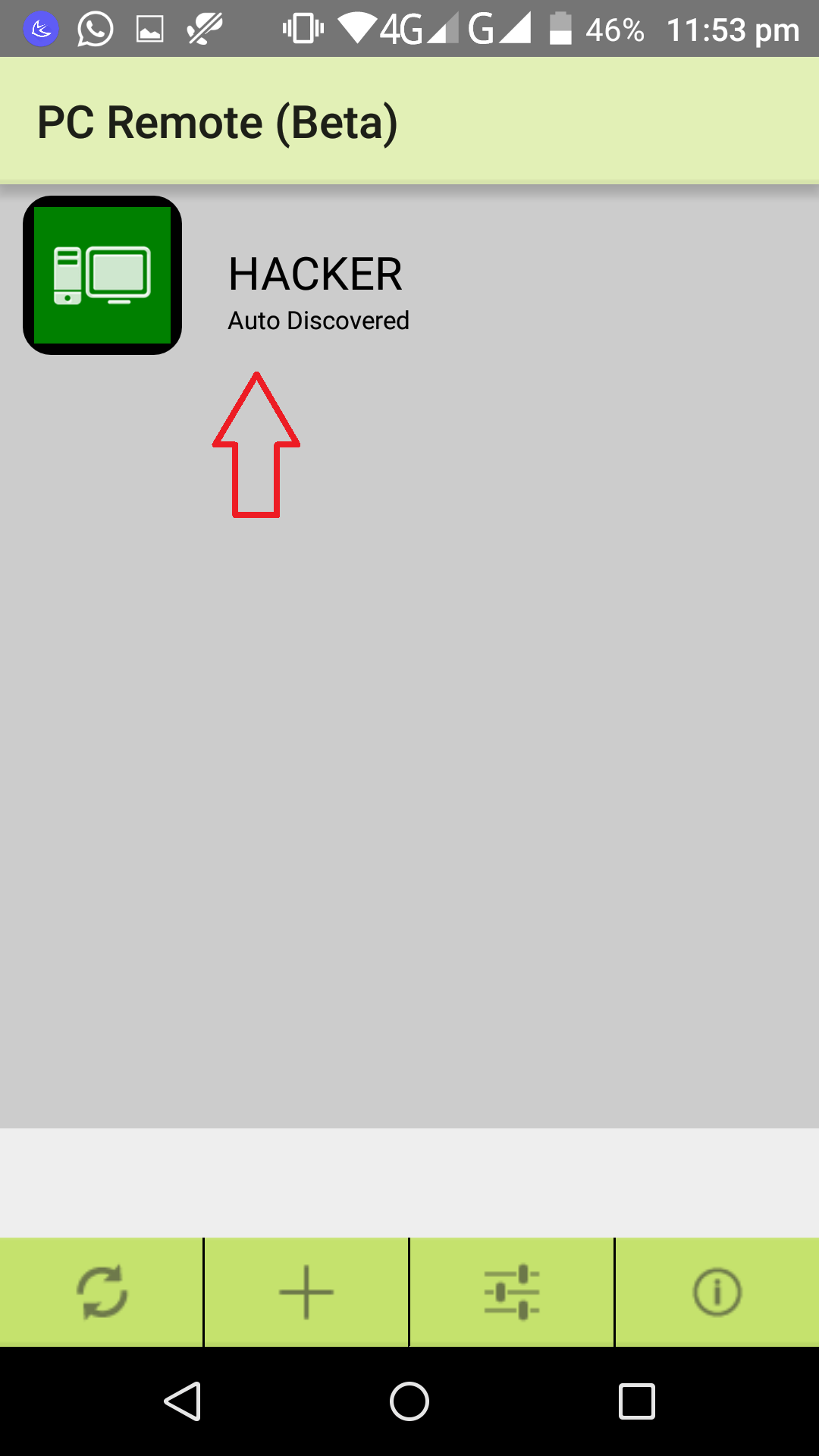
Control your pc from android phone - After opening it,it will detect your pc or simply refresh it and it will find your pc automatically

Control your pc from android phone - Now simply click on your pc name when it appears like this
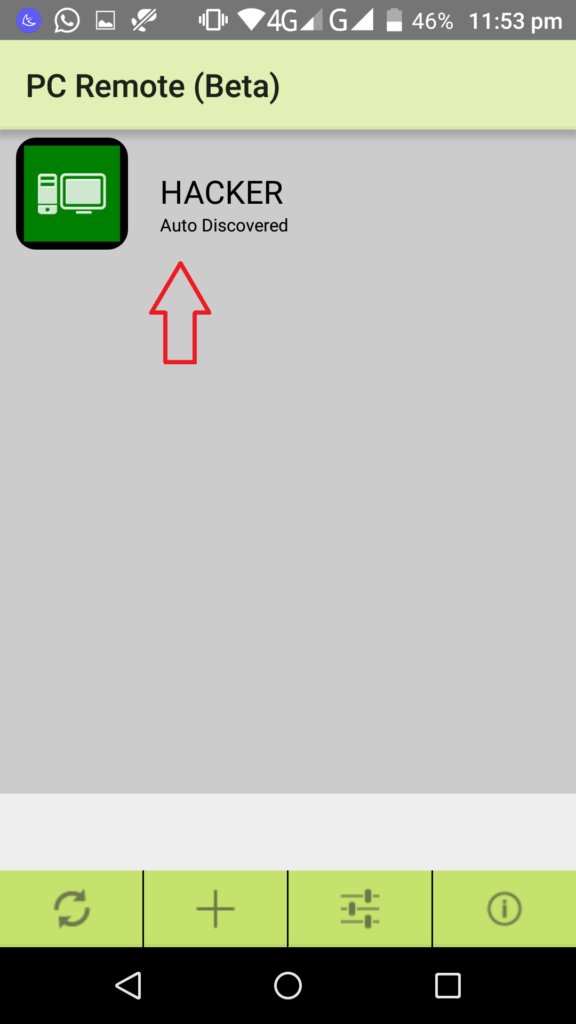
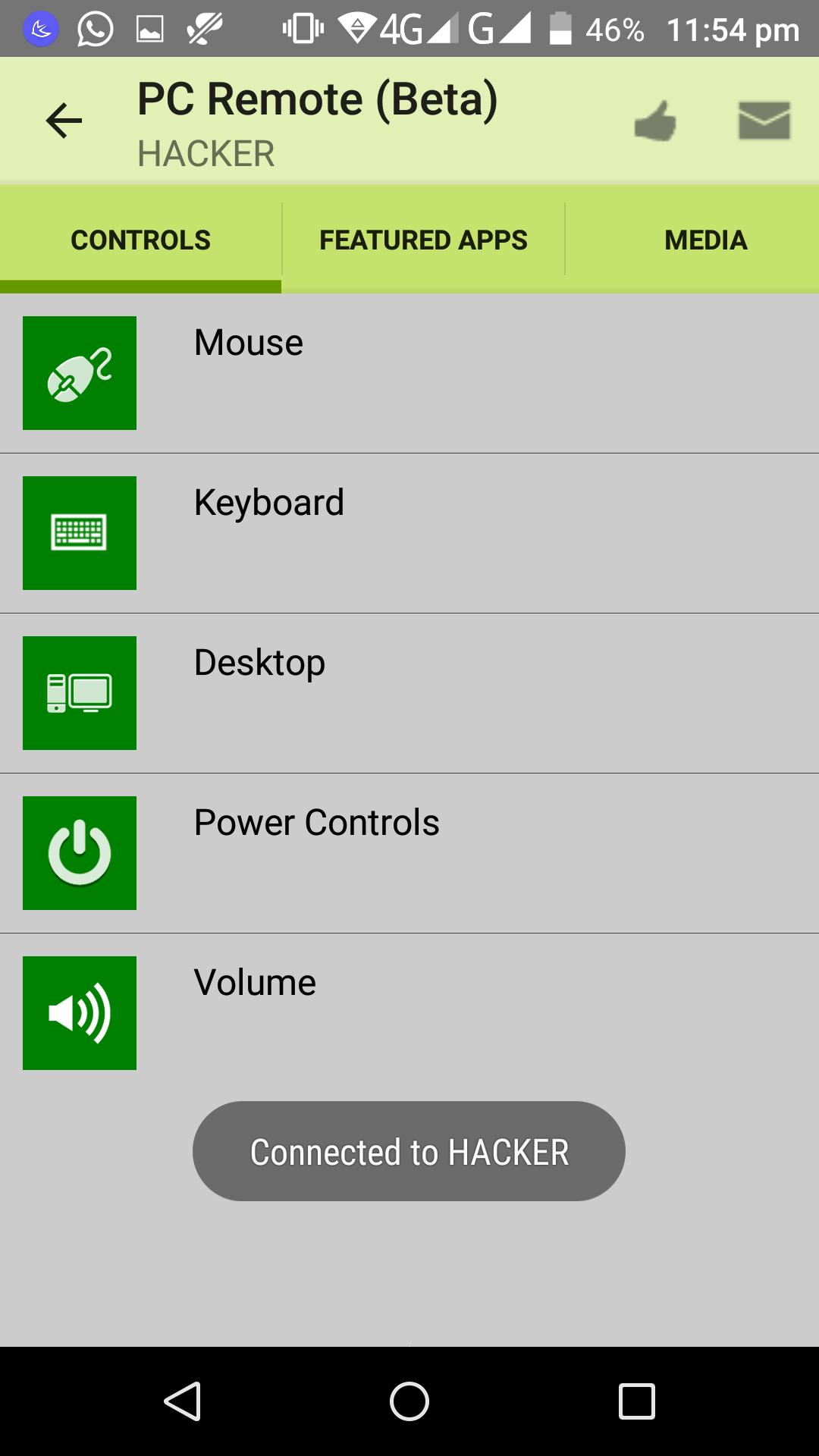
Control your pc from android phone - It will show you all the basic options like this
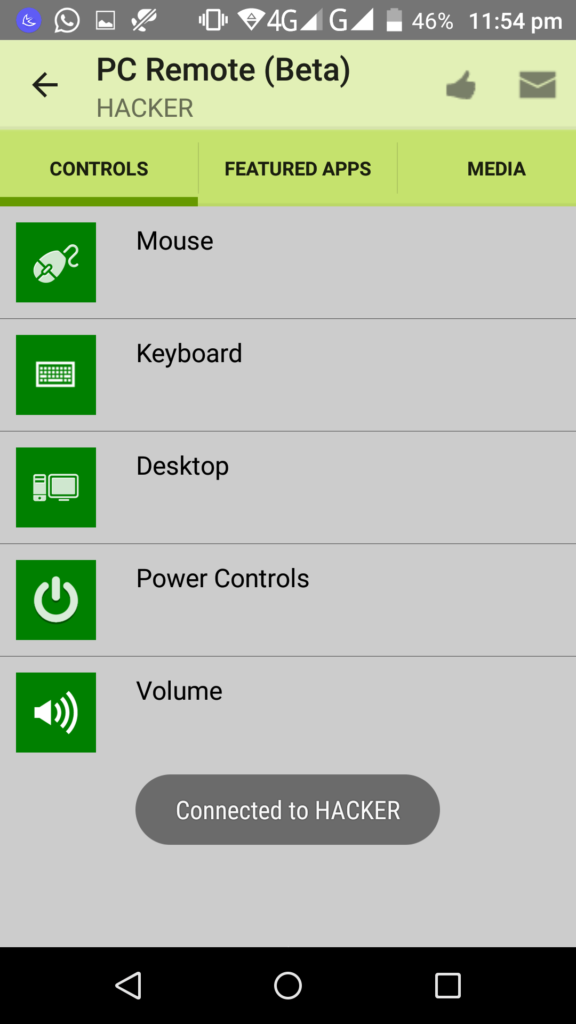
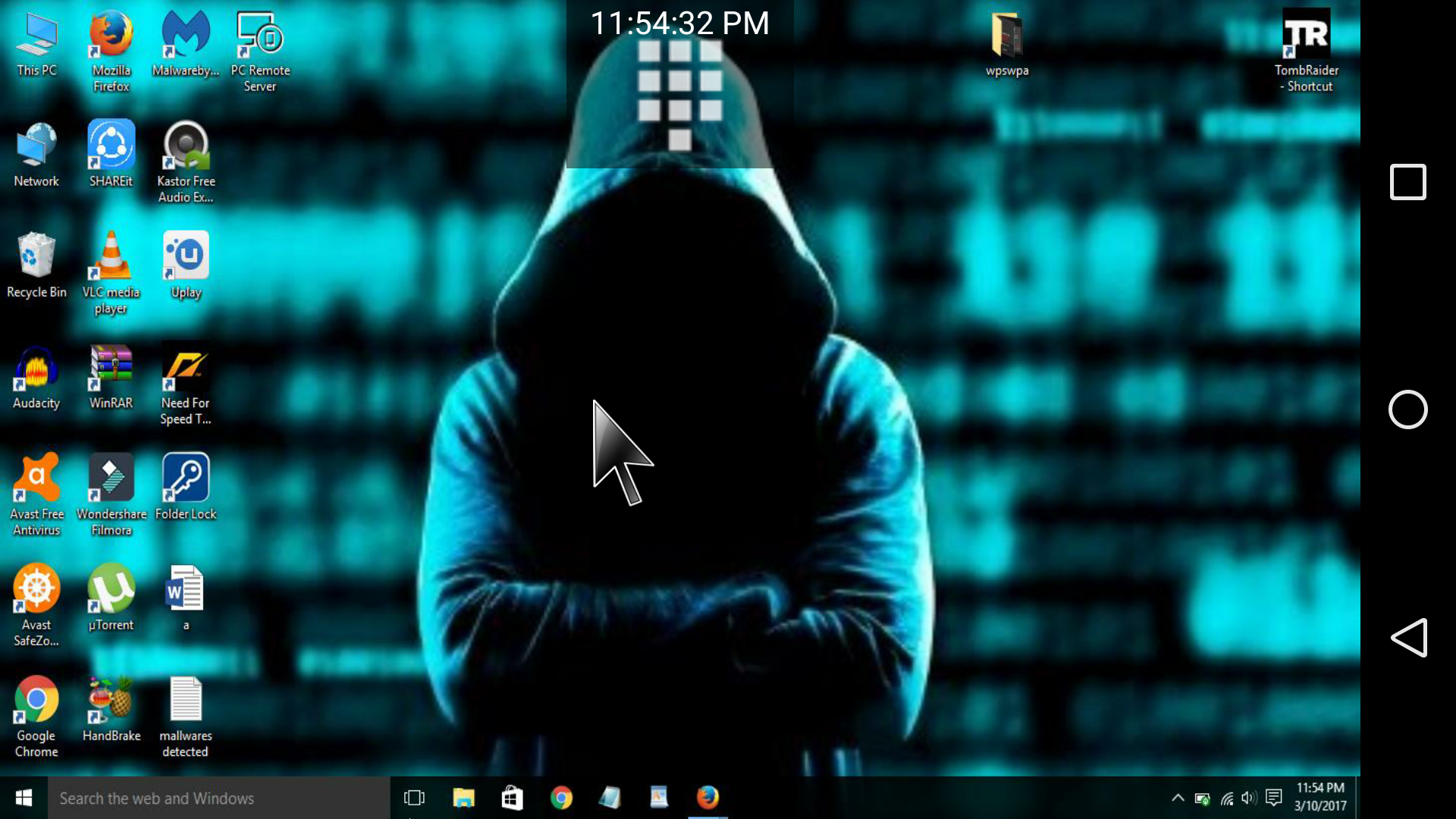
Control your pc from android phon - Now simply choose what you want to control in your pc,like here I selected my desktop


Now just do whatever you want to do with your pc and make your friends shock to see you rock!
Download the files from here:
Android apk: Click here
PC: Click here
NOTE
The files are also present on google on their official websites under name PC Remote Server and PC Remote.
If you face any problem, write in comments section below!
You can control your PC from Android Phone using apps like R-HUB remote support servers. The app can be freely downloaded from google play store.