
How to install Android ROM without PC | 2019
Install Android Rom Without PC
Contents
Do you want to install or flash android ROM without PC and safely? Then, I will show you how to achieve this.
Many people asked me questions like
“how can I flash my android phone without computer?”
“how to flash stock rom using recovery mode?”
“how to flash stock rom without odin?”
“how to flash stock rom using recovery mode?”
“how to install custom rom without twrp?” And many more.
So, this is what led me to writer a proper guide / article to explain them basically how to achieve the flashing of any Stock Rom or Custom Rom for your phone without using any computer. So, let’s firstly know about what Anroid Rom or normally Rom means.
The term “ROM” stands for “read-only memory.” Android too has an inbuilt ROM that runs the android system in your phone and is commonly known as Android Rom. A “ROM” is the operating system software that runs your Droid. Here, we will focus mainly on how to “install Android ROM without PC”.
Rom types for Android that you can use to flash an Android phone.
There are basically two types of ROM for Android. One is called as Stock ROM which is by default present in your Android phone. And the other one is called as Custom ROM. Which you can install externally if you get your Android device rooted already. Usually, stock ROM do not provide as many options as a custom rom provides. So, you can install custom ROM in your Android device to achieve certain new features and to boost up your Android phone performance. So, you can also easily install Android ROM without PC
Features of Custom Rom
- A custom android Rom Provides the latest and most up-to-date versions of Android for your phone and hence increases its performance and many features.
- This will aid in improved performance and efficiency of the Battery life and your Android phone.
- Very Convincing improvement in the Battery Life of the Android phone or any phone.
- Installing a Custom Rom will help you to remove bloatware i.e the useless junk that is default present in your phone by the phone manufacturers
- A user can add any Custom themes which will modify the user interface with the phone.
- You can beat the same model phone having the stock rom in that with your custom installed Rom phone.
Disadvantages of flashing an Android ROM without PC
Particularly, there is no disadvantage of using a custom ROM if you install it properly. Just because before installing a custom rom you can always backup your stock ROM. And so, if you do not satisfied with the custom rom then again you can restore the original Stock Rom in your Android device very easy. Moreover there is no disadvantage if you install Android ROM without PC.
There would be some of the futures which could be disappointing for some of the users however they would be wonderful for someone other. So, it all depends on which type of custom rom you want and with features you want in that custom ROM for your Android device.
So, let’s go on to the procedure about how to install Android ROM without PC simply an Android ROM in your phone without PC.
Important things to consider while installing or flashing Android ROM without a PC
1. Before moving on further, let me tell you something that I’m not responsible if you do not perform the steps accurately. Inaccurately performed installation steps can brick your device.
2. You will need your device Rooted in order to install a new or simply a custom rom.
You can see my another very short article about how to root your Android phone within minutes here
Must fulfill these conditions in order to ‘install Android ROM without PC’
>Root android by one click 100% working
3. You should be having a pre installed custom recovery before installing custom ROM or before you install Android ROM without PC. You can also check my other article about how you can install a custom recovery without using any PC and that too within minutes from here
>How To install custom recovery in your phone Without PC
Now, in order to install Android ROM without PC just follow these steps given below:
- To install Android ROM without PC, first of all, go to Google and type for custom ROMs available for your phone model and download them to your SD card. You can also try to download Android Rom for your phone from the link at the end of procedure.
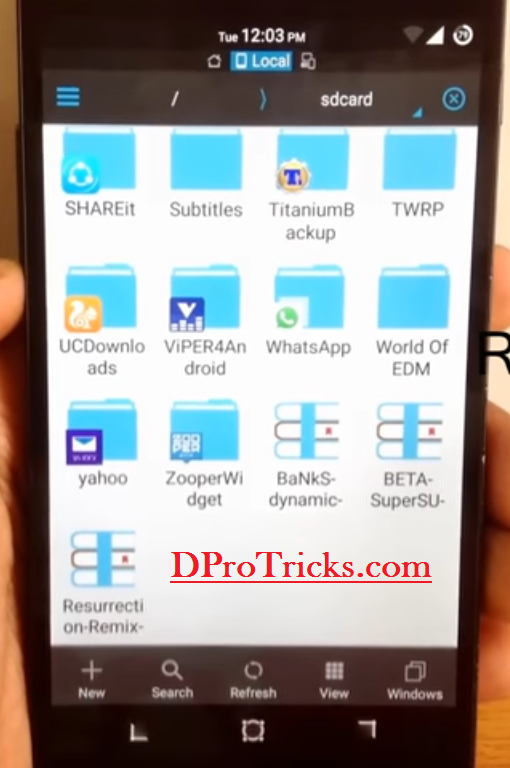
- After that, switch off your Android phone. And go to your custom recovery mode by pressing the volume up or volume down button and the power button simultaneously. Then, you will reach here

- After reaching to your custom recovery interface, make sure that you backup your stock ROM first. For that click and backup option and keep all the elements as it is. And swipe to right to backup. You can also set the storage path where you are going to backup your stock Rom.

- The second step is to factory reset your Android device. And for that, click on wipe option and then swipe to right to factory reset your device.

- After you have reset your device now, You will have to wipe system partitions. To do that, again go to the wipe options and then click on advanced wipe option.

- Then, check mark the system option and swipe to right to clear it. Make sure that you perform this step because this is a very important step.

- Now, here comes the installation process. After you have performed all the above steps now, you need to install your custom rom which is present in your SD card. For that, click on install option and then select your custom rom zip files from your SD card. And then swipe right to flash it in your device and wait till the process completes

- It will show you a success message after it completes the process of ROM flashing and then click on reboot system in order to install Android ROM without PC.

- Congratulation! You have successfully installed a Rom in your Android device so, install Android ROM without PC.

DONE! You are done with the “install Android ROM without PC”
If you are facing any problem regarding the procedure of Flashing Android ROM without PC or installing a new rom.
You can try to Download Android Rom for your device / phone by clicking at the Download button at the end of this article.
If you can’t find your device’s Rom from above link, then you must search Google and you will easily find it there.
Also note, if you perform any step wrong while flashing rom without PC then we are not responsible for the results. Make sure that you follow the steps correctly and you have a verified / original Rom that you are going to install. If should be a supportive one for your device.
If still you face any problem regarding this, feel free to write to me below in the comments section and I will help you out with that.
You may like to read
>Wifikill | Control a wifi without being an admin 100%
>Use fake number whatsapp without sim card
Download Roms From below
very informative article. Thank you.
Hello Abrar
Nice article keep posting
The accident of finding this post has brhgitened my day
what happen to my android phone i go to hard reset it and then it goes bootloop
it could be a case of soft brick. Due to imperfect factory reset or improper upgrading of any new rom or stock/ custom rom, this can happen. If this happens over again and again and you can’t make your phone to work properly again then you can flash its original stock rom again from pc or you can get it to the repairing shop if you think you can’t install rom properly. You can tell me the case if any other.
Thanks for this beautiful and informative article. 🙂
Welcome! Keep visiting for more 🙂
Bhai need urgent help
Hi Ayush,
I would love to help you.
How can i reinstall stock ROM without PC pls??
For that you should be having a pre installed custom recovery like cwm or twrp etc. Then you will need to download the original stock rom of your device by searching in Google. Then simply place that in some storage device and insert into the device to be flashed. Then simply go to recovery mode and select the rom and install it.
If you don’t have custom recovery in your device installed, then using a PC is must.
sir ,i could not stock rom my SWIPE RAZOR VOLTE 4G TABLET AFTER I UNKOWINGLY ROOTED NY DEVICE.NOW I HAVE STOCK ROM FOR THAT DEVICE AND UPGRADE SOFTWARE BUT MY DEVICE IS NOT RECOGNISED IN MY PC EVEN AFTER INSTALLINS SPREADTRUM USB DRIVERS.COULD YOU PLEASE SOLVE THE PROBLEM.THANK YOU
Hello K S Sundeep,
Your device is not recognised in PC only because of lack of proper drivers. I would suggest you to search your device drivers for pc in google and download and install them to your PC. Would help to overcome your issue. Also check if there is any special PC software that can support and install drivers for your device. Because there are many such software for pc that help in downloading additional drivers for connected devices.